CSS is eating
JavaScript
CSS Day 2026 | Kevin Powell

input:checked ~ .nav {
  display: block;
}calc()min()max()sin()cos()tan()rem()random()
These are all amazing!



Separation of concerns!
JavaScript
Fetch data from API
Process data
inline style
CSS
🥱
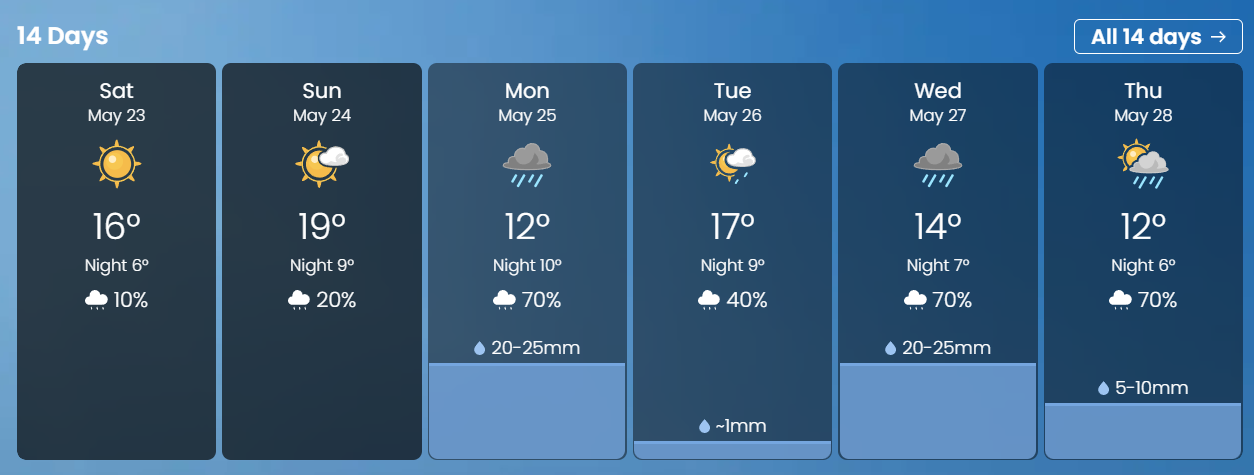
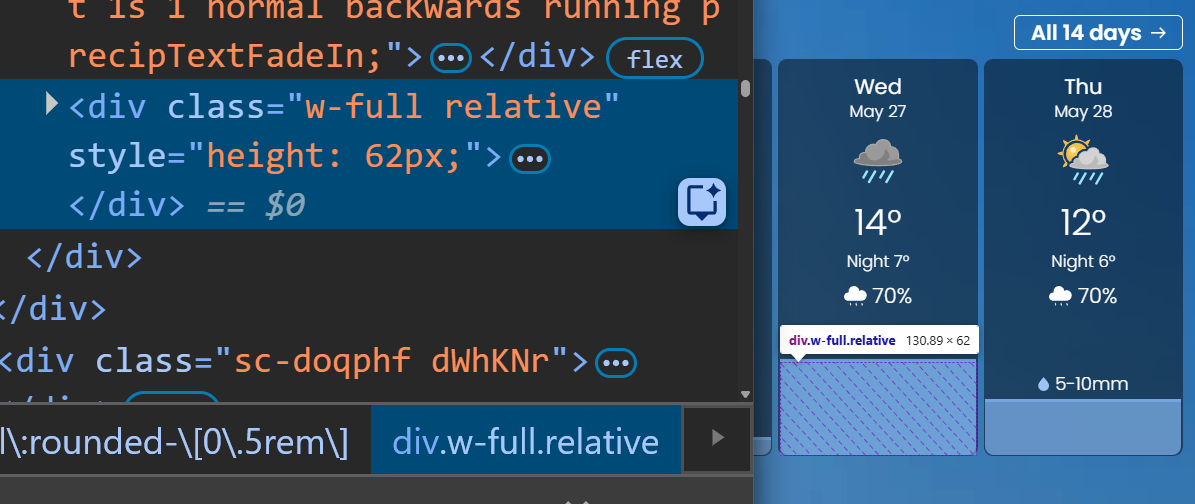
<div class="weather-card"
     style="--precipitation: ${precipitation}">
.rainfall-visual {
block-size: calc(
var(--percipitation)
/* some math stuff here */
);
}This works, but the flow of data isn’t clear.
We can make this flow a lot more clear.
attr()
- Can’t search for, or select
- Internationalization
We can now use attr() with any property!
In Chromium (since 133), Safari TP, and behind a flag in Firefox.<div card grid w="80" p="8" gap="5" bg="zinc-900" rounded="3xl" shadow="2xl">
<h2 text-color="zinc-50" text-size="2xl" font="semibold" tracking="tight">
Tailwind v6?
</h2>
<p text-color="zinc-400" text-size="sm" leading="relaxed">
No classes, just design tokens nailed
directly to the DOM, one attribute at a time.
</p>
<button text-color="white" text-size="sm"
fw="semibold" px="5" py="3" rounded="xl"
bg="indigo-500" hover:bg="indigo-400">
Write code like it's 1995
</button>
</div>We can use it to improve the flow of data.
And assigning types helps with this as well.
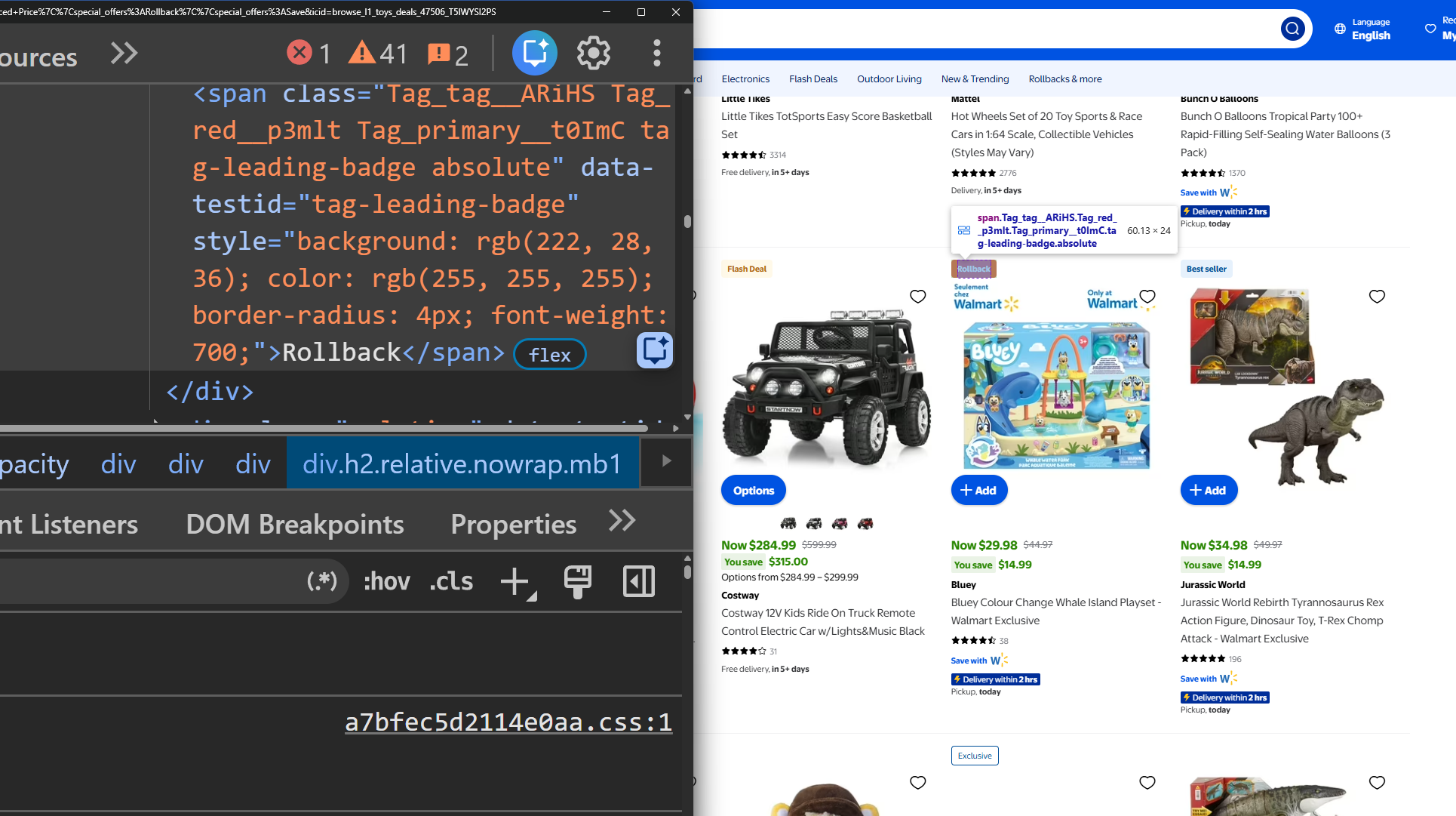
Server
Fetches data from DB, CMS, etc.
Processes data
inline styles
CSS
🥱
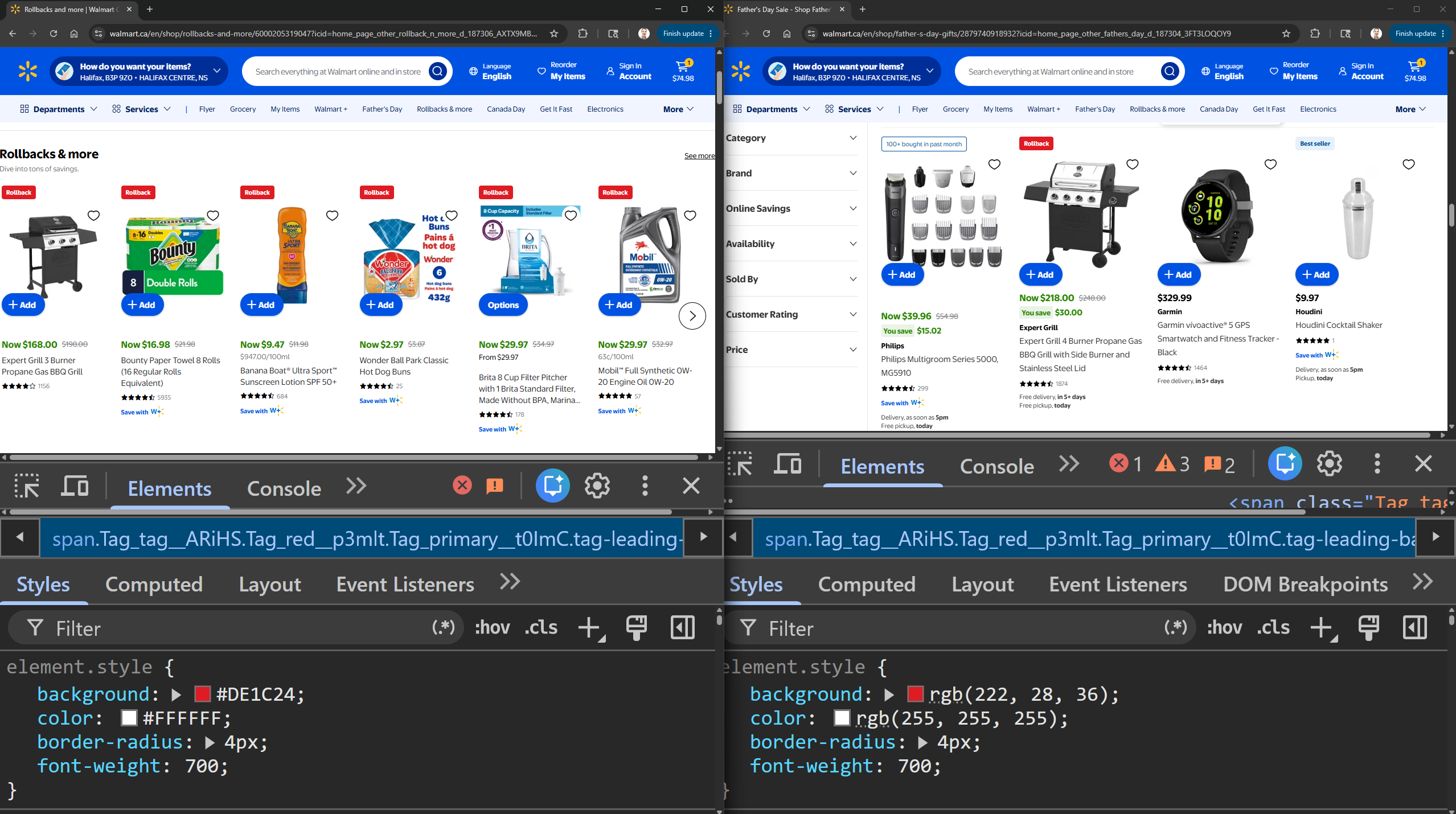
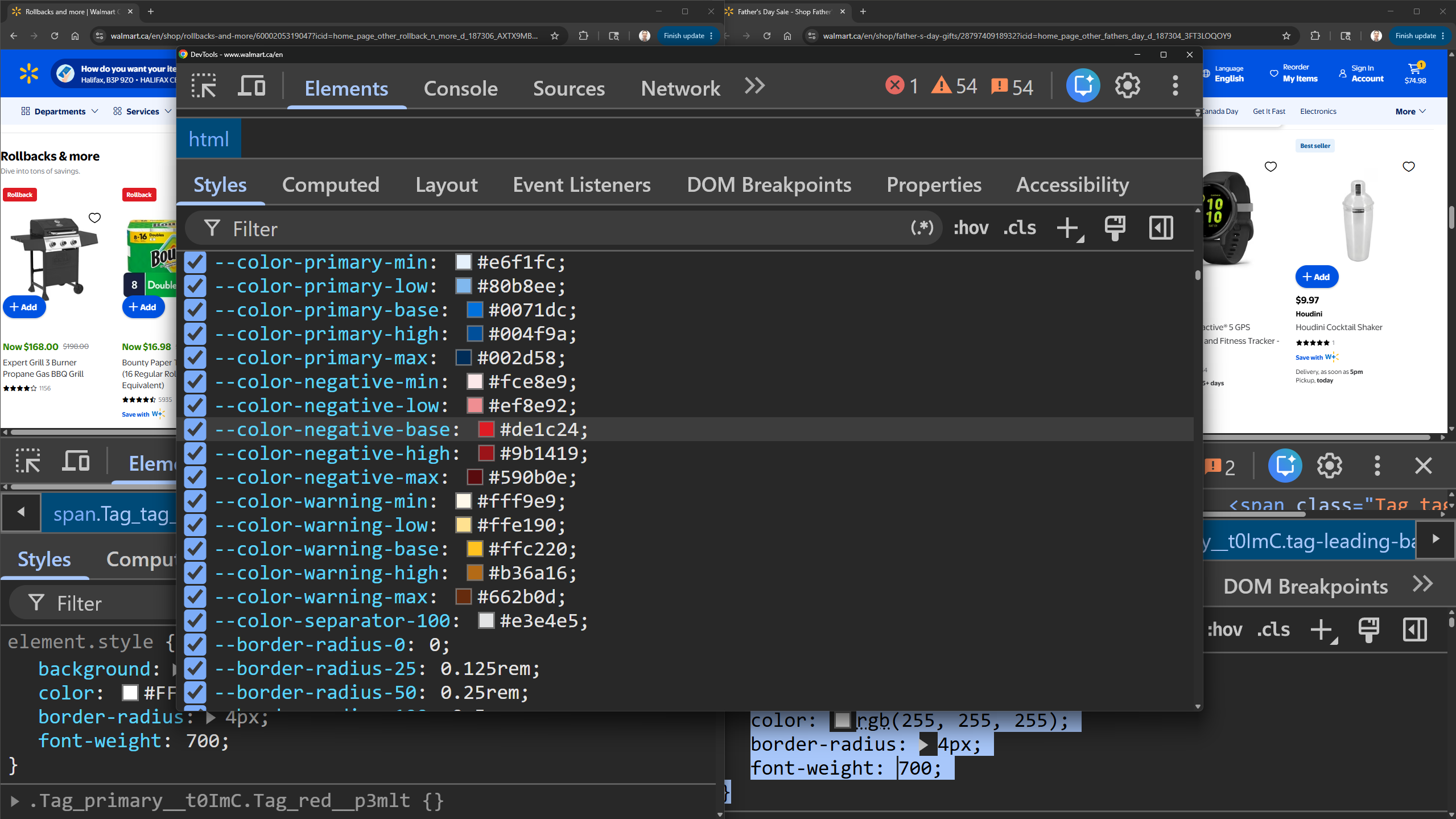
const BADGE_STYLES = {
  rollback:  { background: rgb(222, 28, 36),  color: rgb(255, 255, 255) },
  clearance: { background: rgb(255, 152, 0),  color: rgb(255, 255, 255) },
  reduced:   { background: rgb(0, 115, 209),  color: rgb(255, 255, 255) },
}

function Badge({ type, label }) {
  const styles = BADGE_STYLES[type]

  return (
    <span
      style={{
        background: styles.background,
        color: styles.color,
        borderRadius: "4px",
        fontWeight: 700,
      }}
    >
      {label}
    </span>
  )
}
function Badge({ type }) {
  return (
    <span className="badge" data-promo={type}>{type}</span>
  )
}
function ProductCard({ name, price, promo, stock, rating }) {
return (
<div
className="product"
data-promo={promo}
data-price={price}
data-stock={stock}
data-rating={rating}
>
{promo && <Badge type={promo} />}
<p>{name}</p>
<p>{price}</p>
</div>
)
}But what if we need to make decisions based on the data?
We have two new features that can help.
if()
(Chromium only)
.selector {
  property: if(<if-condition>: <declaration-value>);
}
.selector {
property: if(
<if-condition>: <declaration-value>;
<if-condition>: <declaration-value>;
<if-condition>: <declaration-value>;
else: <declaration-value>;
);
}media queries
.card {
    display: flex;
    flex-direction: if(
      media(width > 600px): row;
      else: column;
    );
  }
feature queries
.grid-lanes {
  display: if(
    supports(display: grid-lanes): grid-lanes;
    else: grid;
  );
}
style queries
body {
  color: if(
    style(--theme: dark): hsl(0 0% 12%);
    style(--theme: dark-high-contrast): hsl(0 0% 100%);
    style(--theme: dark-low-contrast): hsl(0 0% 30%);
    style(--theme: colorful): hsl(261 76% 76%);
    else: #222;
  );
}
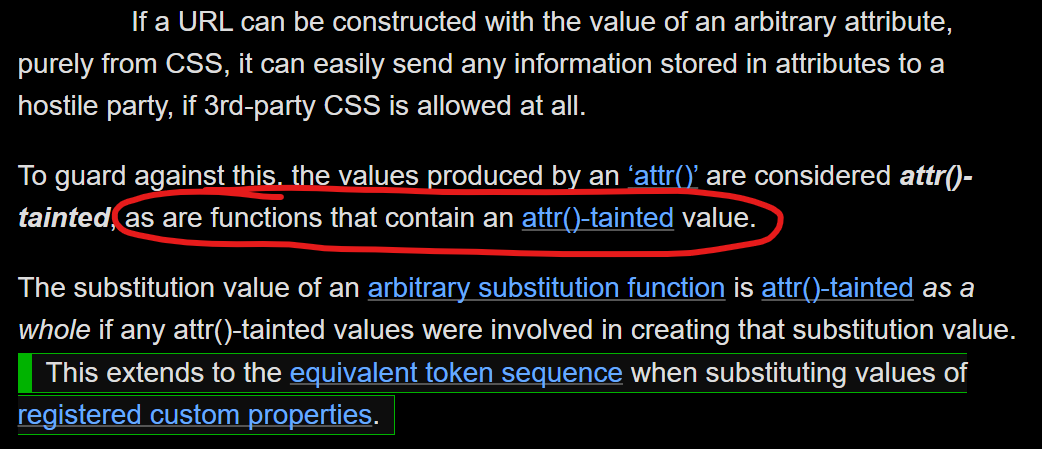
attr() has some rules around urls.
@container style()
(in all browsers now 🥳)A few important differences.
Container style queries can't query themselves
.card { --theme: dark; }

@container style(--theme: dark) {
  .card {
    /* styles here will not work */
  }

  .card-title {
    /* styles here will work */
  }
}
if() is able to!
.card {
  --theme: dark;

         /* this works */
  color: if(style(--theme: dark): firebrick;);
}
Declaration blocks vs. single values
@container style(--theme: dark) {
  .card-title {
    color: white;
    background: #222;
  }
}
.card-title {
color: if(style(--theme: dark): white; else: black);
background: if(style(--theme: dark): #222; else: #eee);
}Sometimes there are simpler solutions
@container style(--weather: sun) {
  background-image: var(--icon-sun);
}

@container style(--weather: part) {
  background-image: var(--icon-part);
}

@container style(--weather: rain) {
  background-image: var(--icon-rain);
}[data-weather="sun"]::before {
background-image: var(--icon-sun);
}
[data-weather="part"]::before {
background-image: var(--icon-part);
}
[data-weather="rain"]::before {
background-image: var(--icon-rain);
}We can use the range syntax with both if() & @container style().
Currently in Chromium browsers.
JavaScript
Fetch data
Pass on values
CSS
Get & type values
attr()Logic & styling
if() @container style()calc() round() min() max() clamp() CSS isn’t eating JS, it’s simply growing into it’s own.
Thank you!
Slides: kevinpowell.co/talks/css-is-eating-js
Start writing CSS with confidence: cssdemystified.com CSSDAY20